


Ever rush out on a busy morning, then wonder if you left the lights on? I have, and that small worry adds up. Smart home devices fix that with quick voice control and simple automation that runs in the background.
- Top Smart Speakers and Displays for Hands-Free Control
- Amazon Echo Show 8: Your Kitchen Command Center
- Google Nest Hub Max: Smart Family Hub with Camera
- Apple HomePod: Seamless Siri Integration for Apple Users
- Smart Lighting and Plugs That Automate Your Routine
- Philips Hue: Customizable Colors for Any Mood
- TP-Link Kasa Smart Plugs: Affordable Way to Upgrade Appliances
- Boost Security and Comfort with Smart Locks and Thermostats
- Smart Doorbells and Locks for Effortless Access
- Nest Thermostat: Learn Your Habits for Perfect Comfort
- Conclusion
In 2025, setup is easier thanks to the rise of the Matter standard. Matter helps devices from different brands work together, so I can mix and match without stressing over hubs and apps. That means a smoother start, fewer headaches, and more time back in my day.
Here is what I focus on for everyday convenience. Smart speakers handle voice commands, routines, and quick answers, so I can start coffee, play music, or lock doors with a short phrase. Smart lighting saves energy and sets the mood, with schedules, dimming, and motion sensors that keep rooms bright only when I need them.
Security gear gives me peace of mind while I am out. Video doorbells and cameras send fast alerts, and smart locks let me check and control access from my phone. Thermostats trim energy bills by learning my habits, using sensors, and adjusting temps while I sleep or travel.
In this guide, I will share my top picks across speakers, lighting, security, and thermostats. I will keep it practical, budget aware, and free of fluff. If you want less hassle, lower bills, and a safer home, you are in the right place.
Top Smart Speakers and Displays for Hands-Free Control
Smart speakers are the quickest way to run a home by voice. I use them for timers, playlists, weather, and lights, all without picking up my phone. If you want the best smart speakers 2025 has to offer, start with these picks that work with Alexa, Google Assistant, or Siri and support Matter and Thread for smoother device control. For beginners, they are simple to set up and grow with your needs.
Amazon Echo Show 8: Your Kitchen Command Center
The 8-inch display shines in busy spaces. I pull up recipes, watch Prime Video or Netflix while cooking, and see who is at the door. Alexa makes it easy to set multiple timers, add to a grocery list, or check the weather in seconds.
- Great for video calls: Works with Zoom and Skype, so family check-ins feel natural.
- No native YouTube app: You can still use the built-in browser, but it is not as smooth.
- Smart home control: View cameras, lock doors, or run routines on a touchscreen.
- Future-ready: Matter and Thread support improves speed and reliability.
If price matters, the Echo (4th Gen) brings strong sound and Alexa skills without a screen. For wall-mounted control, the Echo Show 15 offers a bigger canvas for widgets, camera feeds, and calendars.
Setup tip: Place it at counter height, enable Voice Profiles, and create a “Good morning” routine for lights, news, and coffee.
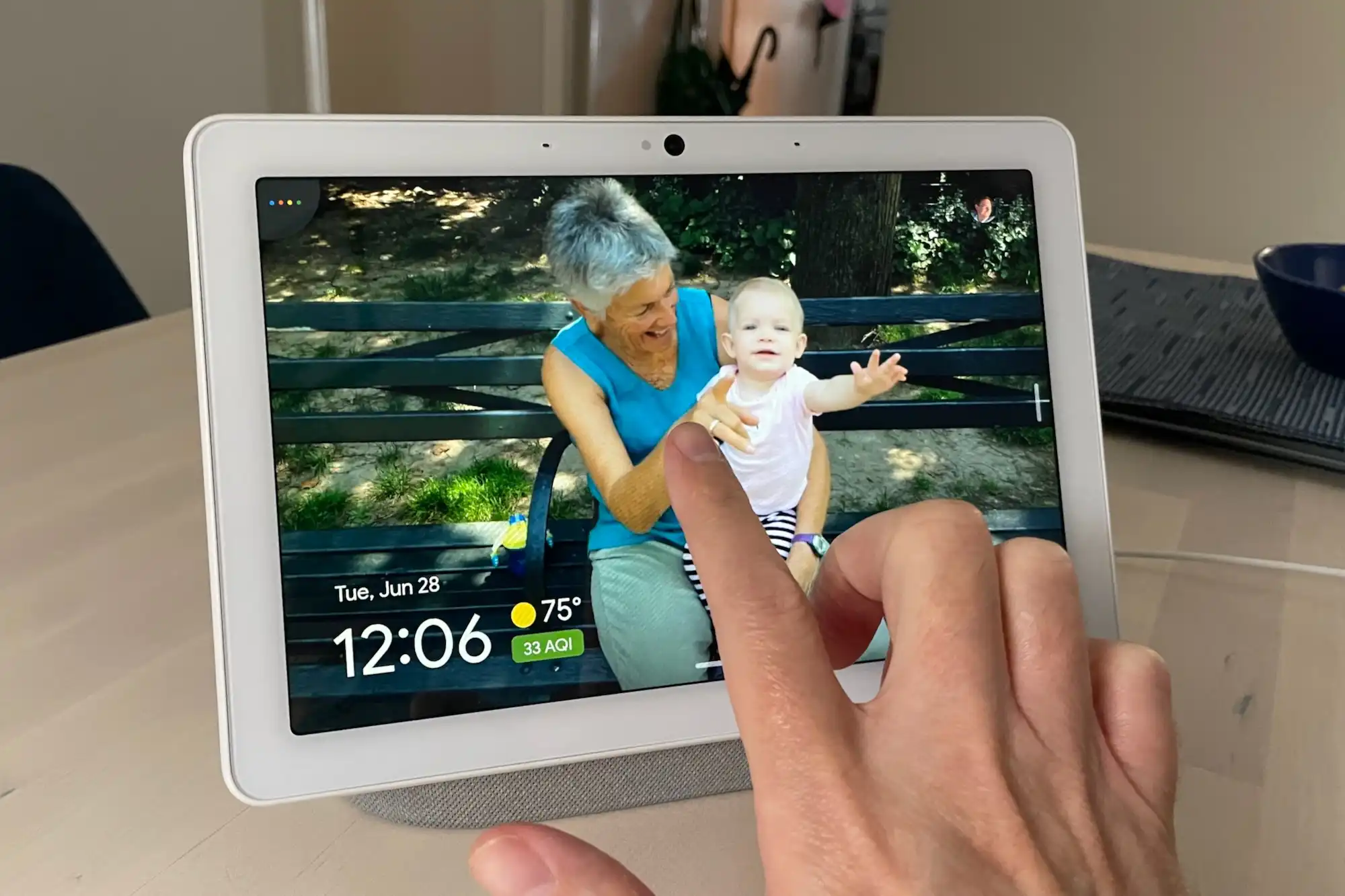
Google Nest Hub Max: Smart Family Hub with Camera
The large display doubles as a family dashboard. With Face Match, it recognizes me and shows my calendar, commute, and recommended videos. The built-in camera works as a Nest Cam for quick check-ins when I am away.
- Personalized responses: Face Match tailors results to each person.
- Matter and Thread: Mix brands confidently across lights, locks, and sensors.
- Strong for shared homes: Voice Match and user accounts keep things organized.
Setup tip: Turn on Quick Gestures to pause videos with a hand wave, and link photo albums so it doubles as a digital frame.
Apple HomePod: Seamless Siri Integration for Apple Users
The HomePod 2nd Gen sounds rich and full, perfect for Apple Music, podcasts, and AirPlay. Auto-room sensing adapts audio to the space, so dialogue stays clear and bass stays tight.
- HomeKit control: Ask Siri to lock doors, run scenes, or check cameras.
- Privacy-first design: Requests are tied to your Apple ID with strong protections.
- Matter and Thread: Wider device support and faster responses.
Setup tip: Put two HomePods in a pair for TV audio or music. Turn on Personal Requests so Siri recognizes your voice.
Quick pros and cons:
- Pros: Easy voice control, fast routines, wide device support, strong sound, affordable options with Echo.
- Cons: Camera privacy concerns on displays, cloud data worries, ecosystem lock-in.
From the couch or the kitchen, these picks make everyday tasks faster and simpler.
Smart Lighting and Plugs That Automate Your Routine
Smart bulbs and plugs save time and trim waste with simple schedules and voice control. I use color bulbs from Philips Hue, LIFX, and TP-Link Kasa to set the mood for dinner, workouts, or sleep. Plugs make old appliances feel new, like a coffee maker that starts at 6:45 a.m. on weekdays.
Color-changing lights do more than look nice. Warm tones help me relax at night, cooler whites boost focus during the day, and a gentle sunrise scene eases me out of bed. I control everything in the app, from anywhere, and Matter support keeps setup smooth across Alexa, Google Assistant, and Siri.
For quick wins, I suggest:
- Set schedules: Lights and plugs turn off after bedtime, so nothing stays on by accident.
- Use scenes: One tap shifts a room from movie night to reading.
- Try motion: Hallway lights pop on low at night, then shut off after a few minutes.
- Automate appliances: Heaters, fans, or humidifiers run only when needed.
Example: I cut hallway lighting costs by running 30% brightness for 3 minutes per motion event, instead of leaving a light on for hours.
Philips Hue: Customizable Colors for Any Mood
Hue starter kits bundle white and color bulbs with the Hue Bridge, so I can add rooms and accessories later. The app includes curated scenes for parties, reading, or relaxation, plus dynamic effects that shift colors over time. Pair Hue with motion sensors, and lights come on at the right level and turn off on their own.
Hue LEDs sip power and last for years, which offsets the upfront price. They work with Alexa, Google Assistant, Siri, and Matter. I get reliable control, rich colors, and long-term value.
TP-Link Kasa Smart Plugs: Affordable Way to Upgrade Appliances
Kasa plugs turn lamps, fans, and coffee makers smart without replacing them. Setup is fast in the Kasa app, no hub required. I like the energy monitoring on select models, which shows real-time and daily use, so I can cut what I do not need.
Voice commands keep life simple. “Turn on the desk fan.” “Turn off the entry lamp.” Scheduling helps me never forget to unplug, and away mode adds a bit of security by randomizing lights. Kasa works with Alexa, Google Assistant, and many models now support Matter for easier pairing across platforms.
Boost Security and Comfort with Smart Locks and Thermostats
I want access to be easy, my home to feel safe, and the temperature to stay just right without constant tweaks. Smart doorbells, locks, and thermostats check all three boxes. They work together in the background, cut energy waste, and make daily life smoother for everyone at home.
Smart Doorbells and Locks for Effortless Access
I rate a doorbell and lock combo as the fastest way to upgrade the entry. The Nest Doorbell (battery) gives me reliable video, smart alerts, and flexible placement with no wiring.
- Nest Doorbell (battery): Clear HDR video, a wide view, and motion detection that can tell people, packages, animals, and vehicles apart. I get package alerts, quick replies for visitors, and 3 hours of event history without a subscription. Activity zones keep alerts focused, which helps battery life.
- Keyless entry: Smart locks let me unlock with the app, a PIN code, or voice. “Hey Google, lock the front door” is faster than fishing for keys with hands full of groceries.
- Auto-lock and alerts: Auto-lock secures the door after a set time, and I get instant lock/unlock notifications. If someone tries the wrong code, I know right away.
- Built-in cameras and recognition: Eufy’s Video Smart Lock combines a 2K camera, doorbell, and lock in one unit. It uses local AI for familiar face alerts, plus fast fingerprint entry for trusted users.
- Delivery-friendly: I can talk to couriers, see where a package was left, and unlock for a neighbor, all from my phone. That means fewer missed deliveries and less worry.
This setup ties into Google Home, so doorbell feeds show on the Nest Hub and locks work in routines with lights and alarms.
Nest Thermostat: Learn Your Habits for Perfect Comfort
I use the Nest Thermostat to trim bills and keep rooms comfortable. It learns my schedule, then adjusts without me thinking about it.
- Eco mode: When I am away, it shifts to energy-saving temps automatically using presence sensing and geofencing.
- Simple scheduling: I set weekday and weekend blocks once, then let it fine-tune over time.
- Google integration: I say “Set the hallway to 70,” or add it to routines. When I arrive, the door unlocks, the foyer lights turn on, and the thermostat warms the house.
- Real savings: By lowering heating and cooling when I am out, I have seen up to 15% off energy costs over a year.
The result is comfort that follows my day. Mornings are warm, nights are cool, and I do not pay to heat or cool an empty home.
Conclusion
The best smart home devices 2025 make daily life easier, safer, and faster. Smart speakers and displays handle voice commands and routines, so I start coffee, set timers, and lock doors without lifting a finger. Smart lighting and plugs save time and energy with schedules, scenes, and motion, while keeping rooms comfortable and well lit only when needed. Doorbells, cameras, and locks add trusted security with instant alerts, easy access, and quick video check-ins. Thermostats trim bills by learning habits and adjusting temps when I leave or sleep.
I suggest starting small with one category, like lighting or a speaker, then adding security or a thermostat next. Check compatibility with your current setup, especially support for Matter and Thread, so everything plays well together and setup stays simple.
If you are ready to cut stress on busy mornings and keep more money in your pocket, pick one upgrade and put it to work today. Share your favorite picks or questions in the comments, or explore the links to find the right fit. Smart moves now add up to a home that runs itself, on your terms.


